


What’s New in the Lincoln Way App
What’s New in the Lincoln Way App?
Connect to Your Car…All from Your Palm
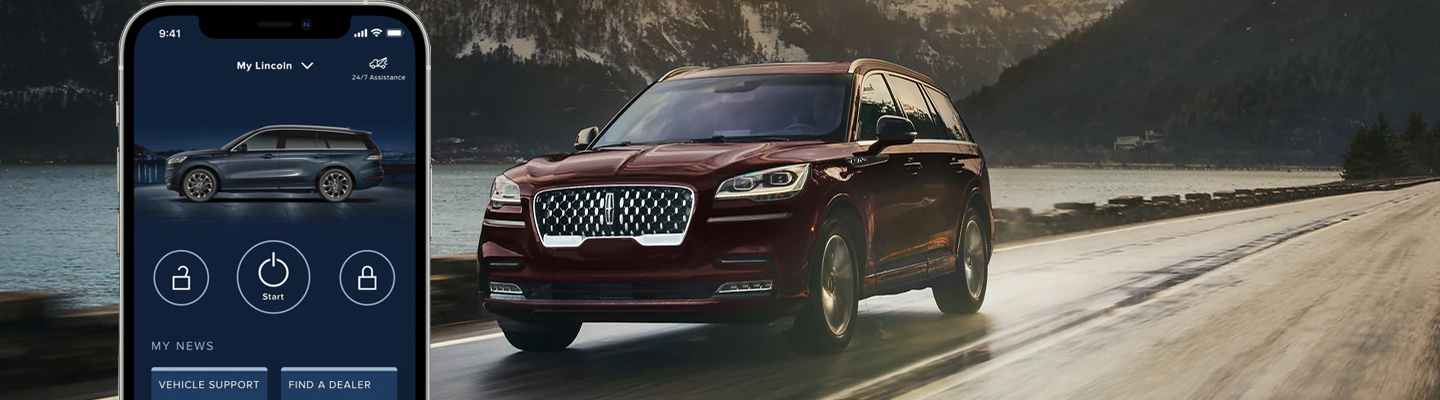
Ever wanted to connect with your Lincoln vehicle when you’re not near? Now you can with the Lincoln Way™ App—a convenient means of accessing your ride’s features remotely, staying on top of your service and maintenance, preparing for a road trip, or even keeping your car or SUV up to date. See how you can upgrade the way you drive by performing a Lincoln Way App download to your smartphone today—also, visit us at Spitzer Lincoln DuBois near Falls City, PA, and test drive your favorite vehicles compatible with this savvy mobile app.
Control When You’re Not There: Open Your App
Curious about what the Lincoln Way App can do for you? Open the app on your smartphone, and you’re greeted with a means of viewing your vehicle information, like your fuel level (and range), location, tire pressure, and more to help you plan out your trips and commutes in advance. Not sure if it’s time for maintenance? View your service history, and even contact our Lincoln service center directly from the app to help you stay on top of your ride’s health.
Want to get your ride started before stepping inside? With the Lincoln Way App Remote Start, you’ll power on your vehicle and get your climate settings started, allowing you to enter a cooled or warmed cabin depending on the season for the ultimate comfortable drive. Even use your phone as a key to enter your cabin without needing to dig your fob out of your pocket or bag for pure convenience.
Hit a nail or run out of fuel on your cruise? No need to panic, as the 24/7 Roadside Assistance sends help to your area, whether you need a tow, a tire change, or virtually anything else that comes to mind.
Don’t forget about the points—when you pay for maintenance or a repair, you’ll receive points, which you can use for savings on accessories, Lincoln Priority Service™, and plenty more. Have questions? The Lincoln Concierge team is ready with answers 24/7 to help guide you in any way possible, from exploring the app to resolving issues with connecting with your Lincoln Navigator (or any other vehicle).
How Can I Help My Car Stay Up to Date?
Along with premium convenience, the Lincoln Way App updates your car and app at your convenience. All you need to do is connect your vehicle to Wi-Fi, set a schedule (for larger updates that require you to park and keep your vehicle off), and download and install any needed upgrades, perfect for keeping your ride’s technology up to date at all times. Plus, your app will also update periodically to help ensure you’re never missing out on these cutting-edge features.
I’m Ready for a Drive with Modern Tech: Start in DuBois, PA
Eager to cruise with some of the most innovative automotive technology features? Head to Spitzer Lincoln DuBois near Sykesville, PA, and test drive your favorite Lincoln vehicles compatible with the Lincoln My Way App. While you’re here, you’re our top priority, whether you have questions about how to use the remote features or want to see some systems in action like the lock/unlock feature—and that’s only the start of how we can step up for you.